A small Hammerspoon module that removes unwanted formatting from common values while preserving email addresses and UUIDs.
Time Machine backups on macOS can fail when the Mac is locked. In this post, I walk through how I diagnosed the issue using the log command and resolved it by rewriting the affected files.
In this post, I outline how I became excited about ditching Spotify for Apple Music, but then found more and more things that were broken or felt unfinished—or just didn’t work the way I expected them to work.
In this post, I outline how to quickly copy the URL and title of the active Safari tab as a clickable link, a convenient feature for referencing web pages in emails, to-do lists, documentation, and messaging platforms like Slack.
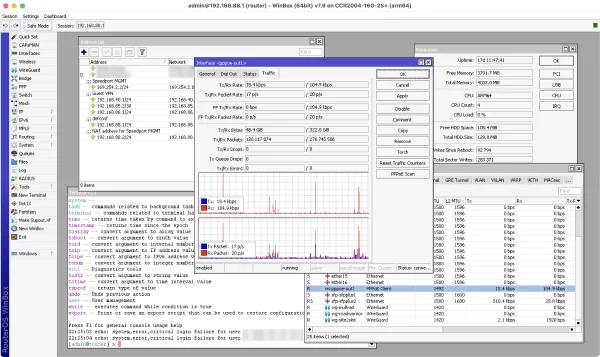
I switched from an EdgeRouter 4 to a MikroTik CCR2004-16G-2S+ for my home network. I learned that MikroTik also has its quirks, but overall, I’m pleased with the transition. In this post, I will share a few insights I found particularly interesting.
When saving media from WhatsApp, it lacks an Exif timestamp which will make your media appear out of order in your photo library. This post explains how ExifTool can be used to create the Exif DateTimeOriginal field from the filename.
Apple’s System 6 stored its screenshots in MacPaint format. Learn how to open them in recent versions of macOS.
On macOS, WireGuard stores its tunnel configurations in the login keychain. This post explains how to extract them from a backup.
Upgrading to macOS Big Sur broke search in Apple Mail for me. In this post, I explain different solutions that might fix this.
The HEVC (H.265) video codec will produce smaller file sizes at the same level of video quality. FFmpeg can create those files, however, a certain tag is needed for the files to be recognized by Apple software.